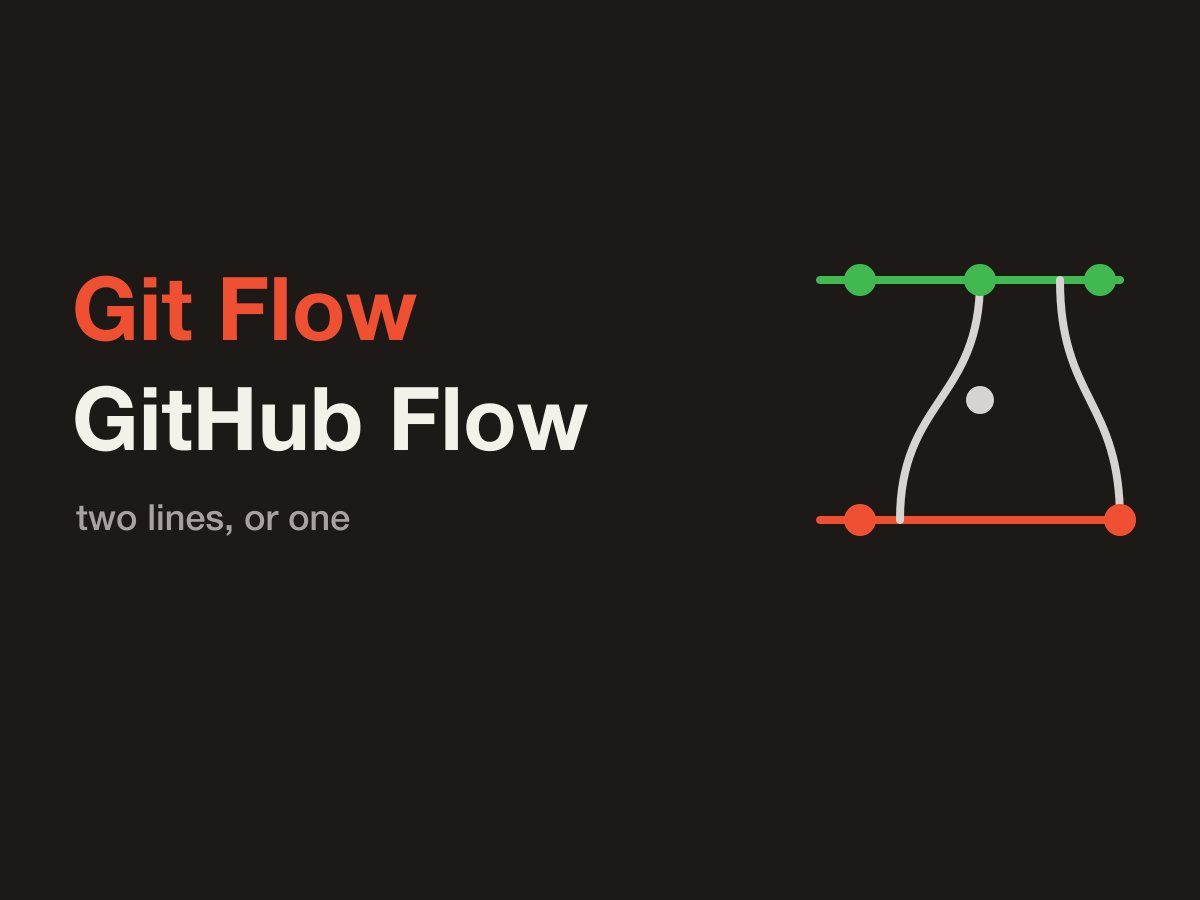
Branch names differ from team to team, but the names that come up in conversation are Git Flow and GitHub Flow. Look only at how the work is cut, and both flows branch off, review, and merge back.
What differs is how many long-lived branches sit between the work and production. Git Flow keeps two, main and develop, and freezes the release just before it ships. GitHub Flow keeps only main, and ships a change once it lands there.
Three things are worth watching. Which line is production. Where a feature merges back. Which line fixes a bug after the release. Once those are clear, you can judge which flow fits how often you ship.
Terms
Tag
A tag is a name that points at one commit. A branch moves forward. A tag stays on the commit where you placed it.
In Git Flow, the commit merged into main gets a name such as v1.0. What you ship to production is the commit that tag points at.
Deploy
A deploy means that commit is running in production. After the branch merges, the pipeline puts that commit into production.
Release
A release means users can use the feature. Git Flow’s release branch is the name of the line that freezes the version you are about to ship. The word release here is not that line.
With a feature flag, the deploy can already be done while the feature itself is not released yet. Turning the flag on is the release of that feature. How the flag is stored is in Separating deploy and release.
Both flows cut a working branch
Neither flow commits straight onto the long-lived branch. You make the change on a short working branch, look at the diff in a pull request, and merge it back onto the line it came from.
The line the feature merges into is the trunk in the diagram. In Git Flow that line is develop. In GitHub Flow it is main. The name of the destination differs. The shape, split the work off and merge it back, is the same.
gitGraph
   commit id: "trunk"
   branch feature
   checkout feature
   commit id: "work"
   checkout main
   merge feature id: "merge after review"
Figure: Work splits off the trunk and merges back after review. Whether that trunk is develop or main depends on the flow.
Git Flow
The branches that stay are main and develop. feature, release, and hotfix go away once they are done.
Two long-lived branches, main and develop
What is on main is the version already in production. A new commit lands on main only when you ship a version. That commit gets a tag, and that commit is what production runs.
develop is where the next version comes together. Features collect there first. develop itself is not what you ship.
A feature merges back to develop
Feature work starts from develop and merges back to develop when it is done. It has not reached main yet. The production version stays as it is.
gitGraph
   commit id: "start"
   branch develop
   checkout develop
   commit id: "next version"
   branch feature
   checkout feature
   commit id: "feature"
   checkout develop
   merge feature id: "back to develop"
Figure: A feature splits from develop and merges back to develop. It has not reached main yet.
Freeze on a release branch, then ship
You cut a release branch so you can test the version you are shipping and keep adding features for the next version at the same time.
If you test on develop, the next features keep landing on the same line during the test. The contents change as you fix them, so the version you mean to ship never settles. A release branch is a temporary copy of develop at the moment you cut it. On that line you fix bugs and the version number only. You do not add features. Meanwhile, features for the next version can land on develop.
【After the release branch is cut】develop
“Feature B is for the next version, so it lands here.”
【At the same time】release
“I only fix bugs in the version we are shipping. No new features.”
When the test is done, merge the release branch into main. Tag that commit. What you ship is the commit the tag points at. Whether the pipeline runs on the tag push or on the merge to main is a CI/CD choice.
Merge the same release branch back into develop as well. That keeps the bugfixes from the release branch in the next version.
gitGraph
   commit id: "start"
   branch develop
   checkout develop
   commit id: "feature A"
   branch release
   checkout release
   commit id: "bugfix"
   checkout develop
   commit id: "feature B"
   checkout main
   merge release id: "v1.0" tag: "v1.0"
   checkout develop
   merge release id: "return the fix"
Figure: Copy up through feature A onto release, and fix only bugs there. At the same time feature B moves on develop. When it is ready, merge to main, tag v1.0, and return the fix to develop.
A hotfix goes back to both
When production has an urgent bug, keep the fix on both the current version and the next one. If you fix only main, the next release cut from develop will be missing that fix.
A hotfix starts from the tagged commit that is in production now. It does not start from develop, because the next version’s features would come along. After you fix and check it on the hotfix branch, merge it to main and tag the patch. What you ship is the commit that tag points at. What triggers the deploy is the same CI/CD choice as for a release.
Merge the same hotfix into develop as well.
gitGraph
   commit id: "v1.0" tag: "v1.0"
   branch develop
   checkout develop
   commit id: "next feature"
   checkout main
   branch hotfix
   checkout hotfix
   commit id: "production fix"
   checkout main
   merge hotfix id: "v1.0.1" tag: "v1.0.1"
   checkout develop
   merge hotfix id: "back to develop"
Figure: A hotfix starts from production v1.0. The next version’s features are not on it. Tag v1.0.1 on main, and return the same fix to develop.
When it fits
It fits when the ship date is set and you freeze a version before it goes to production. If the next version keeps moving while you test, the release branch carries that overlap.
The same shape still fits when the two do not overlap, as long as you regularly freeze a version and then ship it. Production is the single line main, and shipped versions remain as tags.
GitHub Flow
The principle is that main can be shipped to production at any time. The shape of the branches follows from that.
The only branch that stays is main. There is no develop, no release branch that freezes a version, and no separate hotfix line.
The only long-lived branch is main
If you can ship at any time, unfinished work that would break production cannot sit on main. What merges to main is something that is safe to run in production.
You do not need a second trunk to collect the next version. A place to collect it would be a line of changes you cannot ship yet, separate from main. This shape assumes you keep main deployable and ship what you merge, often. If you freeze a version and then ship it, you need a line for that freeze. A scheduled release needs that line even when work on the next version does not overlap the test.
Features are short, and they merge to main
Feature work starts from main. Keep the branch short, and merge it to main once review is done.
A large feature is split into units small enough that each one can reach users on its own. Each unit merges to main when it is ready, and the working branch ends there. The merge deploys it and releases it at the same time.
Without a feature flag, you merge only a unit you can show. What you still cannot show stays on the working branch until the next unit is ready.
gitGraph
   commit id: "production"
   branch feature
   checkout feature
   commit id: "feature"
   checkout main
   merge feature id: "back to main"
Figure: A feature splits from main and merges back after review. The merged commit is the next production.
With a feature flag, merging the code to main and showing it to users are separate. The code runs in production, and the flag is off. Existing behavior is intact. When you decide to show it, you turn the flag on. You do not cut another branch. Turning it on is the release of that feature. How the value is read is in Separating deploy and release.
【After the merge to main】production
“This commit is running. The flag for the new feature is off.”
【When you decide to show it】
“Turn the flag on. Do not cut another branch.”
sequenceDiagram
    participant Dev as Developer
    participant Prod as Production
    participant User as User

    Dev->>Prod: ① Merge to main and deploy
    Note over Prod: ② Flag off<br/>users do not see it
    Dev->>Prod: ③ Turn the flag on
    Prod-->>User: ④ This is the release
Figure: With a flag, the feature stays off after the deploy. Turning it on is the release.
Deploy after it lands on main
What has merged to main can go to production. If you want to check first, deploy the working branch before the merge and look at it there. While you are checking, main may move ahead, and the merge may create a new commit. The main you merged into is not necessarily the branch you already checked. Check main with CI after the merge, and then ship it.
Shipping on a tag push or on a merge to main is a CI/CD choice. Either trigger still keeps main in a state you can ship at any time.
A production fix is the same single path
A production fix has the same shape as a feature. It starts from main and merges back to main. The only destination is main. The fix is in production now, and it is also in whatever follows.
gitGraph
   commit id: "production"
   branch feature
   checkout feature
   commit id: "feature"
   checkout main
   merge feature id: "return the feature"
   branch fix
   checkout fix
   commit id: "production fix"
   checkout main
   merge fix id: "return the fix"
Figure: A feature and a production fix both start from main and merge back to main. There is no second destination.
When it fits
It fits when you keep main deployable and ship what you merge, often.
What you are not ready to show is either merged in units users can see, or landed on main with the flag off.
Side by side
The difference is how many branches stay, and when a change reaches production.
| Git Flow | GitHub Flow | |
|---|---|---|
| Long-lived branches | main and develop | main only |
| feature | cut from develop, merge back to develop | cut from main, merge back to main |
| While a version is frozen | test on release, and let develop move the next version | no line for freezing |
| Production fix | merge back to both main and develop | merge back to main, same as a feature |
| Not ready to show | keep it off production main; the next version sits on develop | merge showable units; with a flag, land it on main while unpublished |
| What production runs | the commit merged to main, pointed at by a tag | the commit merged to main |
Git Flow puts the current version and the next version on separate lines. develop keeps moving during the release, and a hotfix goes back to both.
GitHub Flow makes production and the next integration the same line, main. What you merge is in a state you can ship. What you are not ready to show is merged as a showable unit, or kept off with a flag so the deploy and the release stay apart.
In both flows, what triggers the deploy is a CI/CD choice. A tag push or a merge to main is decided separately from the shape of the branches.
Which one to choose
Choose GitHub Flow when you keep main deployable and ship what you merge, often. What you are not ready to show is merged as a showable unit, or split from the release with a flag.
Choose Git Flow when you freeze a version and then ship it. When testing this version overlaps with building the next one, the release branch carries that overlap. Even without the overlap, a regular frozen release still needs that line.
sequenceDiagram
    actor U as You
    participant Q as How you ship

    U->>Q: ① Keep main deployable and ship often?
    alt Yes
        Q-->>U: GitHub Flow<br/>main only
    else No
        Q-->>U: Git Flow<br/>freeze a version, then ship
    end
Figure: Ship often, and use GitHub Flow. Freeze a version before you ship, and use Git Flow. A scheduled release is still Git Flow even when the next version is not moving at the same time.
Takeaways
Git Flow keeps two long-lived branches, main and develop. GitHub Flow keeps one, main.
In Git Flow, a release branch tests the current version while develop moves the next one. What you ship is the commit merged to main and tagged. A production fix goes back to both the current version and the next one.
In GitHub Flow, main stays in a state you can ship at any time, and you ship what you merge, often. Features and production fixes both merge to main as units users can see.
With a flag, you can separate the release of that feature from the deploy. main after the merge is not necessarily the working branch you already checked, so confirm it with CI before you ship.