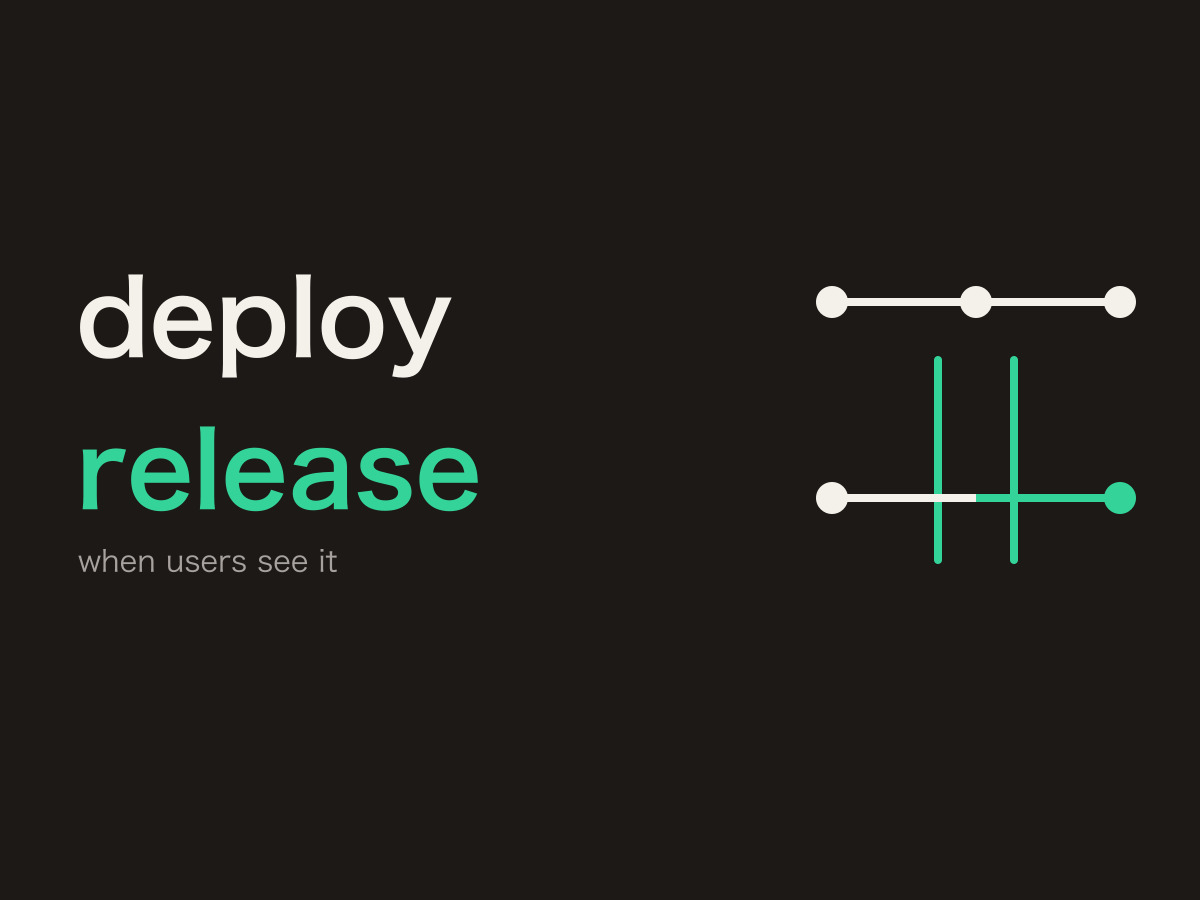
Putting code into production and showing that feature to users can happen at different times. A feature flag is the switch you place between them.
Keeping a feature hidden after it lands on main is covered in How Git Flow and GitHub Flow differ. Here, the question is where the flag lives, and where a request reads it.
Terms
Feature Flag
An on/off switch for one feature. The code can already be in production. If the flag is off, that feature does not reach users.
Deploy
That code is running in production. This is separate from the flag.
Release
Making the feature available to users. Turning the flag on is the release of that feature.
What a feature flag is
A feature flag is how you separate deploy from release.
You can merge a new feature to main and ship it to production with the flag still off. Users do not see it. When you decide to show it, you turn the flag on without cutting another branch.
sequenceDiagram
    participant Dev as Developer
    participant Prod as Production
    participant User as User

    Dev->>Prod: ① Merge to main and deploy
    Note over Prod: ② The code is in production<br/>the feature flag is off
    Prod-->>User: ③ Users do not see it
    Dev->>Prod: ④ Turn the feature flag on
    Prod-->>User: ⑤ Users can use it
Figure: After the deploy, the flag can stay off. Turning it on is the release of that feature.
Deploy  = put the code in production
Release = make the feature usable
GitHub Flow and trunk-based development merge small units to main instead of leaving a working branch open. A feature that is not ready to show stays behind a flag.
A flag is not required. A change that finishes quickly can be completed on the working branch and then merged to main. If the pipeline deploys on that merge, the merge deploys and releases at the same time.
How this differs from an environment variable
Feature flag is the name of the mechanism. An environment variable is one place to store the value.
if (process.env.NEW_PAYMENT_ENABLED === "true") {
  showNewPayment();
}
With NEW_PAYMENT_ENABLED=false, this branch works as a flag. What splits here is where the source value is managed, and how the application reads it.
The source value lives in an environment variable, a database, a config store, or a dedicated feature-flag service. An SDK or a sidecar is not that store. They receive state from the service and hold it locally.
sequenceDiagram
    participant App as Application
    participant Env as Environment variable
    participant DB as Database / config store
    participant Svc as Dedicated service
    participant SDK as SDK
    participant Agent as Agent

    rect rgba(120, 140, 180, 0.1)
        Note over App,Svc: Read the source directly
        App->>Env: ① Read the environment variable
        App->>DB: ② Read the database
        App->>Svc: ③ Read the dedicated service
    end

    rect rgba(120, 160, 130, 0.1)
        Note over App,Agent: Hold what they received
        Svc-->>SDK: ④ The SDK holds the state
        App->>SDK: ⑤ The app reads the SDK
        Svc-->>Agent: ⑥ The agent holds the state
        App->>Agent: ⑦ The app reads localhost
    end
Figure: The left side is where the source value lives. The right side is how the app reads it. An SDK and a sidecar hold state they received from the service.
If you stay with an environment variable, a running process does not pick up a later write. Changing it means a restart, or on ECS a new task deployment. Showing the feature to employees first, or to 5 percent of traffic, is hard with an environment variable alone.
When you want that, you add a flag service. The next question follows.
Do you ask on every request?
“Does every user request call the flag service?”
That is the first shape that comes to mind.
sequenceDiagram
    actor U as User
    participant App as Application
    participant FF as Feature-flag service

    U->>App: ① Request
    App->>FF: ② Ask for the flag
    FF-->>App: ③ Return the flag
    App-->>U: ④ Handle the request with that value
Figure: Each request asks remote. The implementation is simple, and the network sits in the middle of the response.
The implementation is simple. The worry is whether it gets slow.
Every response waits on the network. If the flag service is slow, the screen is slow. If that service stops, requests that read the flag stop with it. Calls grow with the number of requests.
Calling remote on every request is not the only shape. Common placements split according to how they take that worry off the request path.
Call remote every time
This is the shape the worry comes from. If flag reads are few and that latency is acceptable, this is enough. If it is not, move the fetch off the request.
Store it in an environment variable
This is the far end: the application does not call the service. The task receives a value such as NEW_PAYMENT=true, and the application reads process.env. No network sits in the read, so the lookup is fast.
A process that is already running does not change its value. Going from false to true means restarting the task or deploying it again. This does not fit a flag you flip often. An on/off that changes once per release can be enough.
Keep a copy in the SDK
If the request does not call remote, the value has to sit somewhere. In the SDK approach, the SDK lives inside the application process and keeps the value in memory. The user request reads that memory.
sequenceDiagram
    actor U as User
    participant App as Application
    participant SDK as SDK
    participant Mem as In-memory cache

    U->>App: ① Request
    App->>SDK: ② Ask for the flag
    SDK->>Mem: ③ Read memory only
    Mem-->>SDK: ④ true / false
    SDK-->>App: ⑤ Return the result
Figure: The request reads memory only. This diagram has no arrow to remote.
The exchange with remote stays off the request path. When the cache refreshes is a separate moment. Products use one of the following.
Polling fetches the flags at startup and keeps them in memory. On an interval, the SDK asks remote and updates the cache. That query does not make the user wait.
Streaming is the service notifying the SDK when a flag changes. The SDK updates memory from that notice. The request does not wait for the notice.
Lazy load fetches from remote at read time when the cache is stale. Only then does the network come back into the middle of the request.
Keep the copy in a sidecar
Once the cache exists, a request does not look at remote. The difference is that the copy and the refresh leave the application process. On ECS, the agent sits in the same task. On AWS, AWS AppConfig Agent is this shape.
The first fetch is the exception. AppConfig Agent builds the cache on that first retrieval. That response can be slower than later requests that already have a cache.
sequenceDiagram
    participant App as Application
    participant Agent as Sidecar / agent

    App->>Agent: ① Ask for the flag on localhost
    Agent->>Agent: ② Read the agent cache
    Agent-->>App: ③ true / false
Figure: The application reads the agent on localhost. The agent refreshes from remote outside this diagram.
In this setup, the agent does the fetch and the application reads localhost. The agent takes the latest value into its cache, and the application reads that cache. It is not a rule that the application cannot reach the AWS APIs.
SDK or sidecar
Once a cache exists, both keep remote off the request path, which is how they answer the latency worry. What remains is who refreshes that cache.
With an SDK, the application process refreshes it. With a sidecar, a separate process does. The application only reads localhost.
sequenceDiagram
    participant App as Application
    participant Mem as Memory in the same process
    participant Agent as Cache in another process

    rect rgba(120, 140, 180, 0.1)
        Note over App,Mem: SDK
        App->>Mem: ① Read memory in the same process
    end

    rect rgba(120, 160, 130, 0.1)
        Note over App,Agent: Sidecar
        App->>Agent: ② Read the cache in another process
    end
Figure: Both reads stay local. The refresh belongs to the same process, or to another one.
sequenceDiagram
    actor U as You
    participant Q as Placement

    U->>Q: ① Is remote latency on the<br/>request path acceptable?
    alt Acceptable
        Q-->>U: Call remote every time
    else Not acceptable
        U->>Q: ② Change it after shipping,<br/>without a redeploy?
        alt Rarely
            Q-->>U: Environment variable
        else You want to change it
            U->>Q: ③ Does the app process own<br/>the cache refresh?
            alt It does
                Q-->>U: SDK and memory
            else Separate it
                Q-->>U: Sidecar / agent
            end
        end
    end
Figure: First, whether the latency is acceptable. If it is not, the placement follows how often you change the flag, and who owns the refresh.
If the latency is acceptable, keep calling remote on every request. If it is not, and you rarely change the value, use an environment variable. If you still want to change the percentage or the audience after shipping, use an SDK or a sidecar. Use an SDK when the application can own the refresh. Use a sidecar when that work should leave the process.
Takeaways
The center of a feature flag is separating deploy from release.
Once a flag service is in place, the first worry is whether asking on every request makes the response slow. Asking every time is simple, and the network sits in the middle of the response. An environment variable, SDK memory, and a sidecar cache are the placements that take that worry off the path.
The decision includes where the value is stored, whether the request looks at remote, and who refreshes the cache.