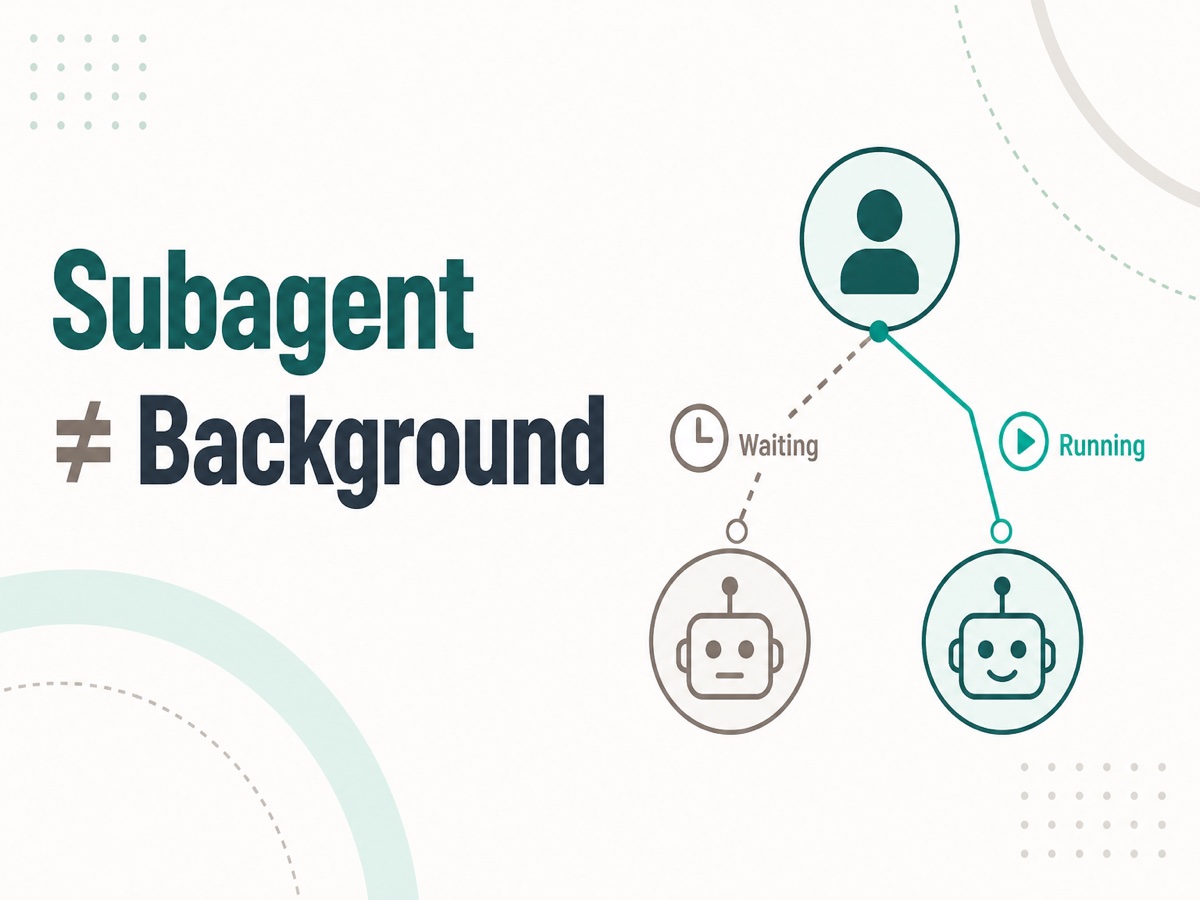
A Cursor agent can investigate, implement, and test in a single chat. While a long turn is still running, you sometimes cannot ask another question or send another request.
That is where subagents come in. They are a way to hand a chunk of work to another agent. Once ownership splits, it is easy to feel that this chat should now be free.
If you ask a child to do a long investigation, the child starts working. But this chat still sits until the child returns. If you type the next request, the parent does not move. You thought it would continue in the background the moment you delegated. Instead, you wait.
A subagent only splits who does the work. The parent stops having to wait only when you make it background. Below I walk through why the chat still stops after delegation, what delegation is for, how the two axes differ, and how to run in the background.
Terms
Subagent
A separate agent cut out of the current chat. It owns only one chunk of work, such as investigation or implementation. It does not share this chat’s history. It sees only the instructions you passed.
Multitask Mode
Starts several subagents in the background at once, from the beginning. The entry point is /multitask.
Even after you delegate, this chat stops
When you hand work to a child, the child moves. If the parent chat stops, that is not because you split ownership. It is because one chat can advance only one piece of work at a time.
[This chat]
You: “Please give this investigation to a child”
Parent: “I will hand it to a child”
You: “While we wait for it to come back, please also handle another request”
Parent: (does not move. It is waiting for the child’s result)
The parent’s current turn is not finished when the child is launched. The parent does not reply until the child returns a result. Even if you write the next request, the parent cannot process it.
sequenceDiagram
    actor U as You
    participant P as Parent
    participant C as Child

    U->>P: ① Send a request
    P->>C: ② Hand over the work
    C-->>P: ③ Return the result
    P-->>U: ④ Reply
Figure: Parent → child → parent is one sequence. Until the child returns, the parent cannot take the next request.
While you wait, the child is reading files and running tests. What you see is only the parent sitting still. You wait not so much because the model is slow, but because the chat turn stays closed until the child finishes.
A subagent splits ownership. Whether the chat stops does not change yet.
What a subagent is
A subagent is a way for the agent in this chat (the parent) to hand a chunk of work to another agent. The parent keeps the direction and the job of integrating what comes back. The child does only the sliced range, such as investigation or implementation.
[Parent]
“Just investigate the relevant places over there. I will decide whether to change anything after I see the result”
[Child]
“I took the investigation only. I have not seen the parent’s earlier conversation. I am looking only at the instructions I was given”
The child does not share the parent’s chat history. The instructions you passed are everything the child knows. If you omit premises and constraints, conditions the parent treats as obvious never reach the child.
That is delegation. Ownership splits. In the default, this chat still sits, and you cannot send the next request until the child returns.

Figure: Even after you hand off the work, this chat stops until the child returns.
Main reasons to ask a subagent
You do not delegate only so you can stop waiting. Not making you wait is what happens when you put the work in the background.
Split the context. Long investigations and logs crowd the parent chat. The child’s intermediate output stays with the child, and only the result comes back to the parent. This fits when you do not want a wide search left in the parent’s history.
Close responsibility around one chunk. If you cut the scope to investigation only, or verification only, the parent can stay on direction. The child sees only the instructions it was given. A typical cut is to leave implementation decisions with the parent and hand over exploration only.
Reuse the same kind of work. You can write a role and constraints on a custom subagent. You do not have to repeat the same explanation in the parent chat every time.
Run things in parallel. You may also want two independent items at once, or an investigation next to a separate fix. Running them at the same time needs background. Delegation alone finishes children one at a time, while the parent stays stopped.
Delegation and background are different things
There are two axes: who does the work, and whether the parent waits.
| Who does it | Does this chat wait? | |
|---|---|---|
| A single chat | This chat | Waits |
| Subagent (default) | Child | Waits |
| Subagent (background) | Child | Does not wait |
[Delegation only]
Parent: “Please investigate”
Child: “I will look into it”
The parent stops. Until the investigation finishes, the next request cannot run. Ownership has split, but the wait remains.
[Delegation and background]
Parent: “Please investigate. In the background”
Child: “I will look into it”
The parent can continue to the next decision. The child’s completion arrives later.
sequenceDiagram
    participant P as Parent
    participant C as Child

    rect rgba(120, 140, 180, 0.1)
        Note over P,C: Delegation only. This chat waits
        P->>C: ① Hand over the work
        C-->>P: ② Return the result
    end

    rect rgba(120, 160, 130, 0.1)
        Note over P,C: Delegation + background
        P->>C: ③ Hand it over and do not wait
        P->>P: ④ Parent's next decision
    end
Figure: Delegation splits ownership. Background removes the parent’s wait. Only when you have both can you advance the next request at the same time.
If the next move depends on the child’s reply, waiting in this chat is also a valid choice. Use background only when you want to send the next request without waiting.
How to run in the background
By default, this chat stops. To avoid waiting, you make it explicit in one of the following ways.
Set is_background: true in config
You can put this in a custom subagent’s frontmatter. When you call it, it runs without stopping the parent.
---
name: explorer
description: コードベースを調査する。長い探索に使う。
is_background: true
---
This fits roles that may always run in the background. It does not fit a child whose next step you want to decide after seeing the result.
Request background at call time
Even if the config stays at the default, you can send just that run to the background. Write “run this in the background” in the chat, or pass Task with run_in_background: true.
This fits a one-off investigation, or a request you do not want to wait on just this time. You do not need to change the config.
Multitask Mode
Background means the parent does not wait on one request. Multitask Mode sits on top of that and runs several requests at once.
/multitask starts several subagents in the background from the beginning. Instead of draining a queue in series, it runs independent chunks at the same time. If you are only sending one request to the background, you do not need to go this far.
The parent stays in the chat and can continue without waiting for the children to finish. You should only launch work that is independent. If there is a dependency, send one first, then the next.
sequenceDiagram
    participant P as Parent
    participant A as Child: investigation
    participant B as Child: other work

    P->>A: ① Hand over the investigation
    P->>B: ② Hand over the other work at once
Figure: Multitask Mode is a way to launch several background children at once.

Figure: The parent keeps the conversation going, while independent children proceed in the background at the same time.
The Cursor Subagents documentation says the default for is_background is false.
How to choose
Decide who does the work first, then decide whether the parent waits. If you mix the two at once, it is easy to imagine that delegation alone will stop the waiting.
If you want to split context, close a chunk, or reuse the same shape of work, use a subagent. That decision is only about ownership. You have not yet decided whether the parent stops.
If the next step depends on the child’s reply, wait. Typical flows are: investigate, then fix; look at verification, then ship. If there is no dependency, use background.
Choose the background path by how long the role should live.
| Situation | Path |
|---|---|
| A role that may always run in the background | Set is_background: true in config |
| You do not want to wait on this run only | Specify it at call time |
| Several independent items at once | Multitask Mode |
If you split investigation from implementation, send the investigation to a child, then start implementation in this chat after you see the result. If you have two independent items, line them up with Multitask Mode or a call-time background run.
Do not split off a tiny single task. Writing the cut-out instructions costs more. Do not line up work that touches the same files either. Neither side knows the other’s result.
sequenceDiagram
    actor U as You
    participant Q as Decision

    U->>Q: ① Split context or ownership?
    alt No
        Q-->>U: Parent does it
    else Yes
        U->>Q: ② Does the next step depend<br/>on the child's reply?
        alt Yes
            Q-->>U: Subagent<br/>this chat waits
        else No
            U->>Q: ③ Several independent items?
            alt Yes
                Q-->>U: Multitask Mode
            else No
                Q-->>U: Background via<br/>call or config
            end
        end
    end
Figure: Choose in this order: split ownership or not, whether the parent waits, and how many to run at once.
Where the cut tends to break
The most common mistake is assuming that delegation alone will stop the waiting. The child is moving. The parent is stopped. The next request still cannot run.
If the instructions are thin, the child drifts. The parent’s chat history does not arrive, so write the premises, the range it may touch, and what it must not do in the text you pass.
If you run dependent work at the same time, they step on the same files. If you will fix after seeing the investigation, the investigation comes first. Line up only independent work.
If you send work to the background and move on without looking at completion, you will miss failures. The parent having free hands is not the same as not needing to integrate the result. When the child returns, the parent looks at it and decides the next step.
Takeaways
Delegating to a subagent is not background execution. Delegation splits who does the work. Background splits whether the parent waits.
If you only delegate, the parent stops until the child finishes and cannot run the next request. To continue without waiting, make it explicit with is_background: true, a call-time flag, or Multitask Mode.
Handing work to a child is useful. It fits splitting context, closing a chunk, and reuse. If you need to wait for the reply, waiting in this chat is fine. Choose what to cut, and whether to wait, as separate decisions.